School-Day’s Parent Conference feature makes appointment booking simple. This article provides Parents with step by step instructions for viewing their Parent Conference Appointments using School-Day’s Parent Mobile Website.
1) To access your Parent-Teacher Conference schedule, log into School-Day.
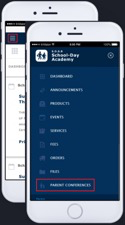
2) To view your upcoming appointments, tap the three-line menu icon found on the top left side of your dashboard and tap Parent Conferences.
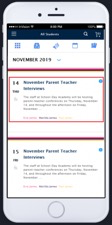
3) Tap on the date of the Conference to access the schedule for booking.
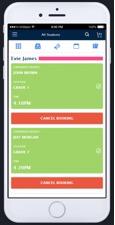
4) All booked appointments will appear in green and will display the teacher, location, and time of the conference.
5) Specific questions regarding appointment dates and times should be directed to your school.
Was this article helpful?
That’s Great!
Thank you for your feedback
Sorry! We couldn't be helpful
Thank you for your feedback
Feedback sent
We appreciate your effort and will try to fix the article